
The short answer
That question usually leads to demos, tools and ideas looking for a problem.
A better question is: “What does our team keep doing manually that probably shouldn't need a person every single time?”
The best first automation is rarely the most impressive one.
It is usually a repeated task with a clear input, a reasonably predictable outcome and somebody who can quickly check whether it worked.
That might need AI. It might need a simple automation. It might just need two existing systems connected properly.
The important thing is solving the workflow rather than forcing AI into it.
AI automation does not mean using AI everywhere
Businesses often use AI, automation and integration as if they mean the same thing.
They don't.
A simple example:
If a website enquiry arrives and you want it copied automatically into another system, that probably does not need AI.
That is an integration.
If you want different enquiries routed to different teams based on straightforward rules, that may just need automation.
If the enquiry is written in free text and the system needs to understand what the person is actually asking about before deciding where it goes, AI might become useful.
And if the enquiry involves an important commercial decision, a person may still need to make the final call.
That distinction matters.
Because a business does not get extra points for using AI where a simpler system would have been cheaper, easier to understand and more reliable.
The goal is not more AI. The goal is less unnecessary friction.
What makes a workflow worth automating?
Start by looking for work with several of these characteristics.
It happens regularly
A task somebody does three times every day is more interesting than something that happens twice a year.
Frequency compounds.
Saving five minutes once is irrelevant.
Saving five minutes two hundred times can become useful.
It is reasonably repetitive
The steps do not need to be completely identical, but there should be a recognisable pattern.
For example:
- an enquiry arrives
- somebody reads it
- information gets copied somewhere
- a category is chosen
- somebody gets notified
- a response or next action follows
That is a workflow.
It consumes more time than it should
Look for the jobs everyone quietly accepts as part of the day.
- Copying information between systems.
- Producing the same report.
- Checking several inboxes.
- Monitoring updates.
- Reformatting documents.
- Chasing the same information.
Those are often better starting points than something dramatic like “build us an AI agent”.
The outcome is clear
Automation is easier when you can define what done properly looks like.
If nobody can agree what the right outcome is when a person performs the task, automating it will probably just make the confusion faster.
Errors can be caught
Your first automation project probably should not be something where one mistake causes a major financial, legal or customer problem.
Start somewhere you can review the result.
Build confidence.
Then increase responsibility where it makes sense.
8 business workflows worth looking at first
These are not promises that every business needs them.
They are places worth looking.
1. Enquiry triage
Imagine twenty enquiries arriving through different forms or inboxes.
Someone currently has to:
- read each one
- work out what it is about
- decide whether it is useful
- send it to the right person
- copy details into another system
- remember to follow it up
Parts of that can often be automated.
Straightforward routing may use rules.
Messier free-text enquiries may benefit from an AI-assisted classification step.
The important part is not an impressive chatbot.
It is making sure the enquiry gets to the right place quickly.
2. Alerts and monitoring
A lot of businesses have somebody manually checking for things.
- Industry news.
- Changes on a website.
- New listings.
- Competitor updates.
- New opportunities.
- Policy announcements.
- Orders requiring attention.
Instead of relying on somebody remembering to check, a system can monitor the source and surface what matters.
That does not necessarily need AI either.
For Cobleys Solicitors, for example, we built a connected content workflow around Google Alerts monitoring legal news and feeding useful information into their content process.
The interesting bit is not “AI”.
It is turning monitoring into a repeatable workflow.
3. Pulling information out of documents or messages
Businesses receive information in awkward formats all day.
- Emails.
- PDFs.
- Forms.
- Meeting notes.
- Attachments.
- Free-text requests.
If somebody repeatedly reads that information and types parts of it into another system, there may be an opportunity.
AI can be particularly useful when the input is unstructured.
For example, identifying:
- company name
- request type
- deadline
- location
- product
- issue
- action required
from a block of text.
A person can still review anything important before it moves on.
4. Reports and internal summaries
There are businesses where somebody spends Friday afternoon assembling information that already exists in four other places.
A dashboard might solve that.
A scheduled automation might solve that.
AI might help summarise the information into something readable.
The useful question is:
Why is somebody rebuilding the same report manually every week?
If the data already exists, there is probably a better way of surfacing it.
5. Content and admin workflows
This is another area where AI gets overhyped.
You probably do not need a machine automatically publishing hundreds of articles nobody wanted.
But there are plenty of smaller tasks around content that can be improved.
For example:
- monitoring relevant topics
- organising ideas
- turning approved information into first drafts
- extracting actions from transcripts
- creating variations from an approved source
- routing content for review
- preparing information for different channels
The human still controls the message.
The system removes some of the admin around producing it.
6. Customer follow-up and status updates
People often contact a business because they do not know what is happening.
- Has my order been received?
- Has somebody reviewed this?
- When is my appointment?
- What stage are we at?
If the information already exists somewhere, the business may be paying people to repeatedly retrieve and communicate it.
Some of that can be automated through triggered updates.
More complicated requests may need a human.
Again, the value is not pretending nobody ever needs to speak to a person.
It is removing the unnecessary repetitive contact around predictable questions.
7. Moving information between systems
This is one of the least glamorous and most useful categories.
Someone fills in a website form.
A member of staff copies it to a spreadsheet.
Then somebody else puts it into another platform.
Then part of it gets pasted into an email.
Nothing intelligent is happening.
The same information is simply moving badly.
This normally needs integration before it needs AI.
Our Abba Cakes work is a good example of this kind of systems thinking.
Their digital setup connects ecommerce and enquiries into an order-management workflow that can surface what needs attention based on urgency and fulfilment date.
Again:
Not everything useful needs to be AI.
8. Finding internal information
Businesses accumulate information everywhere.
- Documents.
- Policies.
- Project folders.
- Emails.
- FAQs.
- Product information.
- Internal notes.
People then waste time asking:
“Where does that live?”
or:
“Who knows the answer to this?”
There are situations where better structure and search solve it.
In others, AI-assisted search can help a team ask natural-language questions across an approved body of information.
The value depends entirely on the quality and access rules around the information underneath it.
A clever interface sitting on top of bad information is still bad information.
What should you not automate first?
There are some terrible first automation projects.
Something that barely happens
You will spend more time designing the automation than the task ever consumed.
A process nobody understands
Do not automate chaos.
If five people perform the same task five different ways, first decide what the actual process should be.
High-stakes decisions
Anything involving major financial decisions, employment decisions, legal judgement, safety or similarly consequential outcomes deserves much more control.
AI can sometimes assist.
That does not mean it should be given unchecked authority.
A task with terrible data
Automation depends on what goes in.
If the inputs are inconsistent, incomplete or inaccessible, fix that before expecting a system to make reliable decisions from them.
Something nobody owns
Every automation needs somebody responsible for what happens when it goes wrong.
If the answer to:
“Who checks this?”
is:
“The AI does it.”
you have not answered the question.
Automation, integration or AI?
A useful test is to ask what the difficult part of the workflow actually is.
| Problem | Likely starting point |
|---|---|
| “If X happens, always do Y.” | Automation |
| “We copy the same data between two systems.” | Integration |
| “We need to understand messy text, documents or messages.” | AI-assisted workflow |
| “We need to summarise a large amount of information.” | AI-assisted workflow |
| “We need a live view of information from several places.” | Dashboard / integration |
| “The answer requires judgement or accountability.” | Human decision, potentially AI-assisted |
Sometimes a workflow uses several.
- A form triggers an automation.
- An AI step classifies the enquiry.
- An integration pushes the information somewhere else.
- A person approves the next action.
That is much closer to how useful systems actually work than simply bolting a chatbot onto everything.
Real examples from systems we've built
It is worth being clear here: not all of these use AI.
That is exactly the point.
Cobleys Solicitors
We created a workflow using Google Alerts to monitor relevant legal news and feed useful information into a connected content system.
The useful automation is the monitoring and movement of information.
It did not need pretending to be a fully autonomous AI content department.
See the Cobleys Solicitors projectAbba Cakes
The Abba Cakes setup connects the ecommerce storefront and incoming enquiries into a bespoke order-management platform.
Orders can be surfaced based on things like urgency and fulfilment date.
That reduces the need for people to manually piece together what requires attention across disconnected sources.
See the Abba Cakes projectNational Emergency Briefing
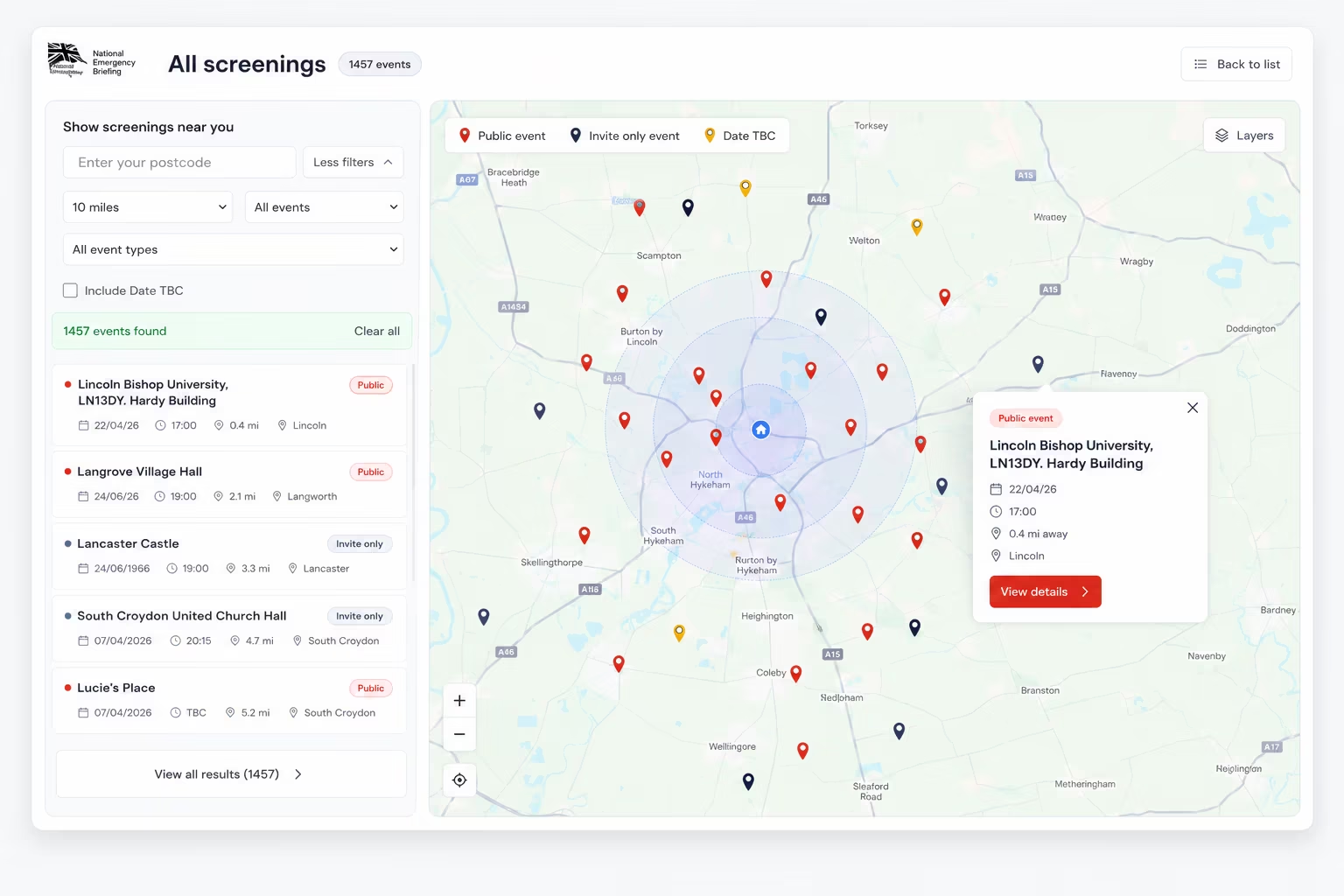
The National Emergency Briefing platform includes submission flows, administration and approval, anonymous messaging and a map handling hundreds of registered screenings.
It is a different kind of example, but the principle is similar:
software should carry the repeatable workflow instead of forcing people to coordinate every step manually.
See the NEB screening map projectThese are systems problems first.
AI only belongs in them when it makes one of those systems genuinely better.
How to choose your first automation project
Do not start by purchasing software.
Pick one workflow.
Then write down what currently happens.
For example:
- An enquiry arrives.
- Sarah reads it.
- Sarah copies the details into a spreadsheet.
- She checks which service it relates to.
- She forwards it to the right person.
- Somebody replies.
- Sarah checks later whether anything happened.
Now the problem is visible.
You can ask:
- Which steps are completely predictable?
- Which steps require interpreting information?
- Which require human judgement?
- Which systems already contain the information?
- What happens when something unusual occurs?
Then define what success means.
Maybe it is:
- enquiries routed within five minutes
- no manual copying
- no missed follow-ups
- two hours returned to the team each week
You can now build something measurable.
Start small.
Test it.
Watch the exceptions.
Then decide whether it deserves more responsibility.
What should you measure?
You do not need an enormous AI dashboard.
Measure whatever justified the project.
That might be:
- hours spent on the workflow each week
- response time
- number of missed steps
- backlog
- processing time
- error rate
- number of manual hand-offs
- how often staff actually use the system
The measure should exist before the automation.
Otherwise every project ends with:
“It feels quicker.”
Maybe it is.
But you will not know.
What about AI agents?
AI agents are increasingly being used to carry out several connected actions rather than simply generate an answer.
That can be useful.
It also changes the risk.
A system that writes a draft for someone to check is very different from a system that can send emails, edit records, approve actions and trigger other systems without review.
The more authority you give it, the more important things like context, permissions, logs and oversight become. Recent guidance around agentic systems makes this exact distinction: access and autonomy should be bounded, particularly while a workflow is being proven.
For most businesses, the sensible first step is not:
“Give the AI control.”
It is:
“Give the AI one useful job with clear boundaries.”
A 15-minute automation audit
Open a blank document and answer these questions.
- 1. What do we do every week?
- Anything repeated is worth writing down.
- 2. What information do we copy and paste?
- Especially between systems.
- 3. What do we chase people for?
- Approvals, updates, information, paperwork.
- 4. What do we regularly summarise?
- Reports, meetings, customer messages, documents.
- 5. What do we classify or sort manually?
- Enquiries, documents, tickets, orders, requests.
- 6. What do we keep checking?
- Inbox, stock, deadlines, websites, news, statuses.
- 7. What moves through several systems?
- Follow the information from where it starts to where it finishes.
- 8. What questions do we answer repeatedly from information we already hold?
- That may point to better search, structured information or an assisted support workflow.
- 9. What stops whenever one particular person is unavailable?
- That can reveal a process living in someone's head instead of a system.
- 10. Which of these would be easy for a human to verify?
- Those are often the safest places to start.
You do not need twenty ideas.
You need one useful one.
Show us the repetitive bit
AI automation becomes useful when it stops being about AI.
Start with the thing people keep doing manually.
Map the workflow.
Decide what needs rules, what needs an integration, what genuinely benefits from AI and where a person still needs to make the decision.
Then build the smallest version that makes the process better.
You can see more about how we approach AI automation and consultancy.
If you're a Liverpool or North West business and want to start with one practical workflow, you can also see our Liverpool AI and automation work.